"This content is blocked. Contact the site owner to fix the issue"
If this message is presented when previewing a PDF file within a matter, it suggests that you do not have the correct application or permission to view PDF documents.
To resolve this, please follow the relevant guidance depending on the web browser in use:
Google Chrome
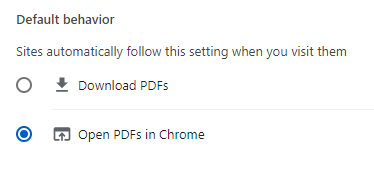
Section titled “Google Chrome”- Navigate to Chrome’s PDF settings: chrome://settings/content/pdfDocuments
- Ensure it’s configured to Open PDFs in Chrome
Microsoft Edge
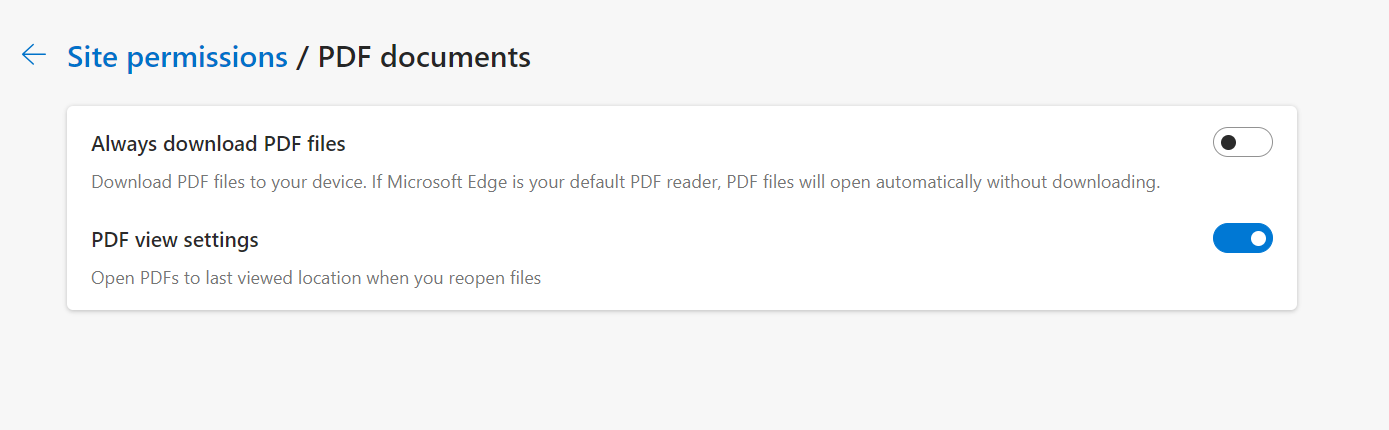
Section titled “Microsoft Edge”- Navigate to Edge’s PDF settings: edge://settings/content/pdfDocuments
- Ensure the setting Always download PDF files is turned off